PRIVATE BETA · NOW ONBOARDING PARTNERS

Digital humans that see, hear and react — live.

Vidu‑S is the real-time interactive avatar API built on Vidu S1, the world-leading streaming video generation model. Bring one image and one line of persona — get a character that talks, performs and perceives, for minutes or hours without breaking.

6-step integration · works for web & native apps · audio-only or full video

Vidu-S real-time digital human
Live avatar · 540P
Real-timestreamed interaction
1 min – 2 hno quality loss
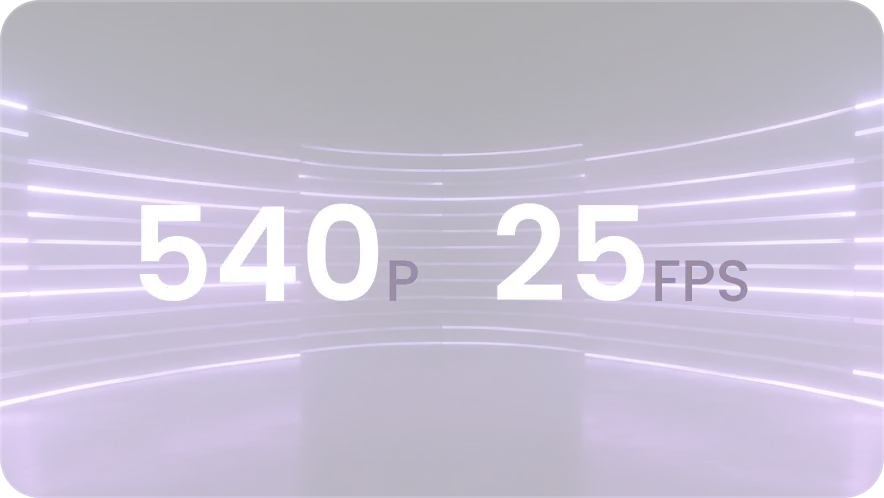
540P · 25FPSstreaming output
30+languages
56built-in voices
99%enterprise SLA

The product

One image in.
A living character out.

Vidu‑S generates an unlimited, real-time video stream of your character — a real person, an anime figure, even a pet — and lets your users talk with it face to face.

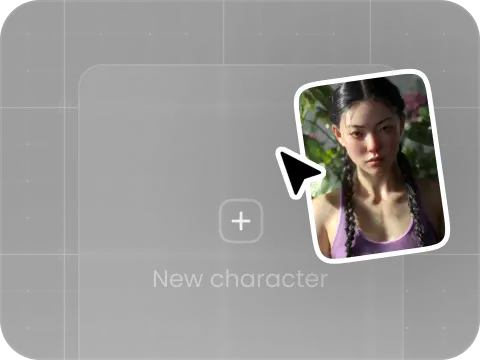
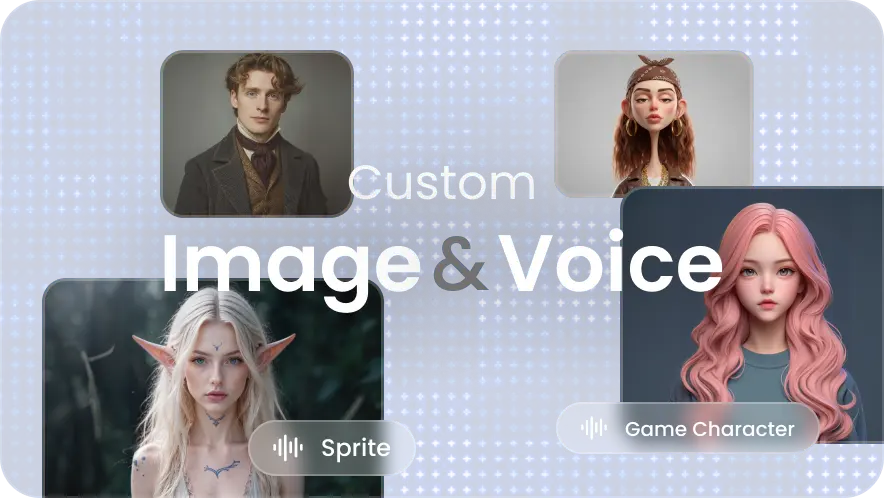
Any character, one photo

Real people, anime, mascots or pets — full-body or half-body, any art style.

Two-way perception

It doesn't just respond — it watches and listens, picking up your users' appearance and emotions.

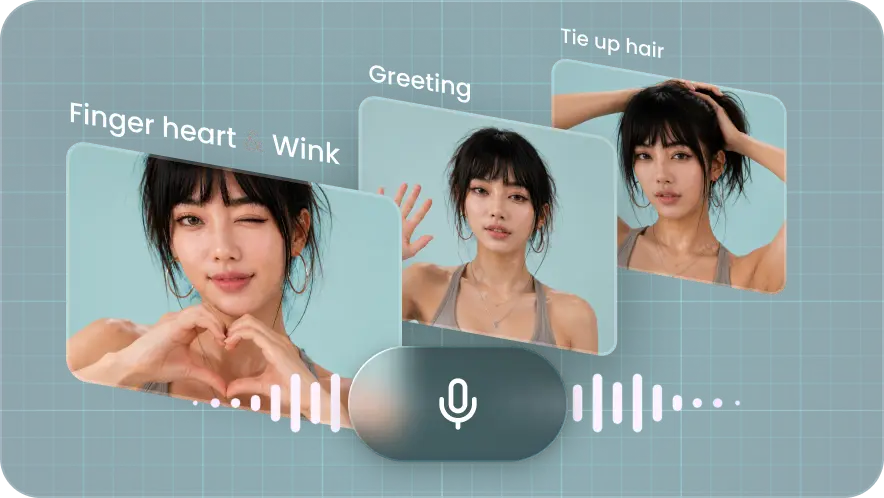
Voice-driven performance

Speak to steer its actions in real time — strong instruction following, industry-fastest inference.

Warm by design

Custom personas with short-term memory make every session personal — a companion, not a widget.

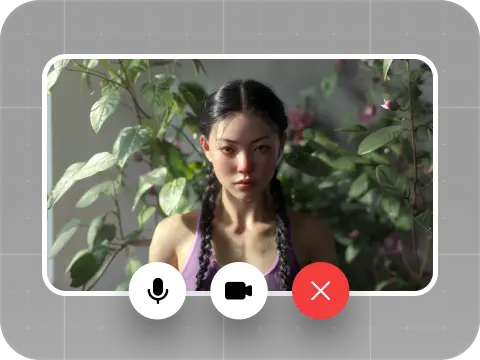
Vidu-S live avatar demo character
LIVEcall_mode: "video" · 00:47

Why Vidu-S

Built to hold a conversation.
Engineered to hold an audience.

01

Commercial-grade interaction

The first interactive digital human that can converse, perform, and perceive in both directions — ready for production, not just demos.

02

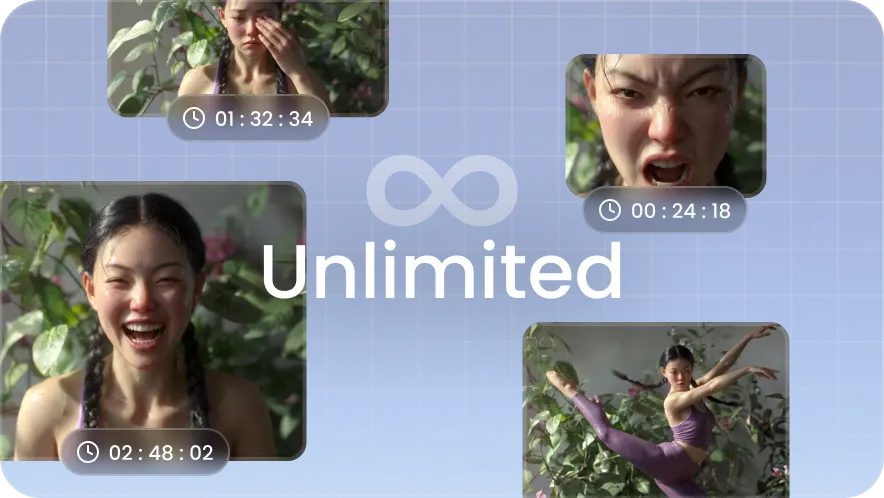
Unlimited session length

The world's first generative video technology with unlimited interaction time — from one minute to two hours with zero quality degradation.

03

Instant response

Deep semantic understanding and the fastest inference in the industry deliver near-real-time, cross-screen interaction that feels alive.

04

Interaction with warmth

Custom looks and personalities — human, anime or pet — plus short-term memory, for company that feels personal, not scripted.

05

Multimodal by nature

Voice, text and video in and out. It precisely reads what it sees and hears — including your users' looks and moods.

06

High-fidelity picture

High-resolution frames generated live and streamed at a steady 540P / 25FPS — crisp enough for commerce, smooth enough for conversation.

Where it lands

Six industries, one API.

Ship characters that can interact, perform, perceive and keep users company — in social, e-commerce, gaming, education and beyond.

AI Companionship

Always-on characters that remember, comfort, and grow closer over time.

Virtual Idols

One-on-one fan meet-and-greets that scale to millions without losing the sparkle.

Training & Coaching

Endlessly patient tutors and role-play partners for any teaching scenario.

AI Customer Service

A face for your support — warmer than a chat bubble, faster than a queue.

Live-stream Commerce

Hosts that pitch, react to comments, and answer buyers in real time, 24/7.

Interactive Film & Gaming

NPCs and story characters that improvise with the audience instead of replaying lines.

How it works

Zero to a live call in six steps.

You bring a key, an image and a persona. Vidu‑S handles generation, understanding and streaming.

🔑API keyformat Token vda_xxx
🖼Avatar imageURL or Base64, one person
✍️Persona textwho your character is
📡Aliyun RTC SDKcarries audio & video
1

Create a session

One POST /live/v1/lives with your call mode and avatar opens a "room". You get back the room id and an entry ticket for the media channel.

live.idrtc.tokenstatus: waiting
2

Join the RTC channel

The avatar's video and voice travel over real-time audio/video, not HTTP. Join with the ticket, publish your microphone (plus camera in video mode), and subscribe to the avatar's stream.

joinChannel()publishLocalAudioStream()subscribe
3

Open the control WebSocket

A persistent signalling line to the server. Connect with your live_id and immediately send the conn_init "I'm ready" message.

wss ·/live/ws/live/connecttype: 1
4

Wait for "ready"

success: true means your avatar is on-line — start talking. A NOT_READY reply is normal in video mode: reconnect with exponential backoff until it flips to ready.

conn_init_ackretry 2s → 4s → 8s
5

Interact — and stay alive

The server pings every 5 seconds; answer with any message within 15 or be dropped. Listen for forced-hangup signals and handle them gracefully.

ping / pongtype: 6 hangup
6

Hang up & settle the bill

Send the hangup signal, leave the RTC channel, then query the session for exact billed seconds and credits spent.

type: 5leaveChannel()billed_seconds

API reference

Integration guide

Everything below is live documentation from the Vidu‑S private beta. Pick your region — all examples update.

Authentication

Every request carries your key in the Authorization header. Keys are issued from the Vidu platform workbench.

header
Authorization: Token vda_xxxxxxxxxxxxxxxx
⚠️Keep the key server-side. The WebSocket authenticates via header too — terminate it behind your own proxy so the Vidu token never reaches a browser.

Endpoints at a glance

MethodPathPurpose
POST/live/v1/livesCreate an avatar session
GET/live/v1/lives/{live_id}Query session status & billing
WS/live/ws/live/connectControl signalling (start / hangup)
POST/live/v1/voices/cloneClone a new voice
GET/live/v1/voicesList your custom voices

Hosts — Global: api.vidu.com · China: api.vidu.cn

POST 1 · Create a session

Opens the room. Returns the live.id you'll use everywhere, plus RTC credentials for the media channel.

request
POST https://api.vidu.com/live/v1/lives
Authorization: Token vda_xxx
Content-Type: application/json

{
  "call_mode": "video",
  "avatar": {
    "persona": "You are a friendly host. Chat with users naturally, in real time.",
    "image_uri": "https://your-cdn.com/avatar.png",
    "name": "Tina",
    "voice": ""
  }
}

Request fields

FieldTypeRequiredNotes
call_modeStringYesaudio voice-only · video audio + video
avatar.personaStringYesWho the character is. No length limit.
avatar.image_uriStringYesOne single-person image (full or half body, any style). URL or Base64. PNG / JPG / JPEG / WEBP, up to 50 MB. Base64 must decode to <20 MB and include a content-type prefix, e.g. data:image/png;base64,…
avatar.nameStringNoDisplay name, ≤20 chars recommended
avatar.voiceStringNoAny voice id from the voice library or your clone. Default: Tina

Response

200 OK
{
  "live": {
    "id": "123456789",
    "status": "waiting",
    "live_duration": 600,
    "call_mode": "video"
  },
  "rtc": {
    "app_id": "xxxx",
    "channel_id": "live-user-123456789",
    "user_id": "live-user-1001-123456789",
    "token": "base64-token...",
    "token_expire_at": "1750003600"
  }
}
FieldNotes
live.idThe room id. Every later step needs it — save it.
live.statuswaiting — the room exists, the avatar isn't in yet
live.live_durationMax session length in seconds (auto-disconnect; cap 600)
rtc.tokenMedia-channel ticket, valid ~1 hour. Expired → create a new session.
rtc.user_idYour identity inside the RTC channel

2 · Join the RTC channel

Audio and video are carried by Aliyun real-time channels (ARTC), not HTTP — you must join before you can see or hear the avatar. Download the ARTC SDK ↗

web · javascript
// Join with the rtc.token and rtc.user_id from step 1
await aliRtc.joinChannel(rtc.token, rtc.user_id);

// Publish your microphone (required — or the avatar can't hear you)
await aliRtc.publishLocalAudioStream(true);

// Publish your camera (video mode only)
await aliRtc.publishLocalVideoStream(true);

// Subscribe to the avatar's audio & video
// Its user id is always: live-bot-{creatorID}-{liveID}
aliRtc.on('videoSubscribeStateChanged', (uid, newState) => {
  if (newState === 'subscribed') {
    // render the stream into your page
  }
});

Who's who in the channel

RoleUser id format
You (the user)live-user-{creatorID}-{liveID}
The avatarlive-bot-{creatorID}-{liveID}
Video push streamlive-video-push-{creatorID}-{liveID}
Native apps: channel naming & publish/subscribe map
app modes
### audio mode
join channel:  live-audio-{liveID}
my uid:        live-user-{creatorID}-{liveID}
publish:       mic audio      -> live-user-{creatorID}-{liveID}
subscribe:     avatar audio   -> live-bot-{creatorID}-{liveID}

### video mode
join channel:  live-user-{liveID}
my uid:        live-user-{creatorID}-{liveID}
publish:       mic audio      -> live-user-{creatorID}-{liveID}
               camera video   -> live-user-{creatorID}-{liveID}
subscribe:     avatar video   -> live-video-push-{creatorID}-{liveID}
ℹ️You're in the room now, but the avatar hasn't "powered on" yet — that's the next signal.

WS 3 · Open the control WebSocket

A persistent control line used to say "I'm ready", and later to hang up.

connect
wss://api.vidu.com/live/ws/live/connect?live_id={live_id}
Authorization: Token vda_xxx

As soon as the socket opens, send:

conn_init · client → server
{
  "type": 1,
  "live_id": "123456789",
  "seq_id": 1,
  "payload": {
    "conn_init": { "version": 1 }   // version is always 1
  }
}
🔐Browsers can't set WS headers. Don't pass the raw key in a query string from client code — route the socket through your backend and inject the header there.

4 · Wait for the avatar

The server answers your conn_init with one of three outcomes:

✅ Ready

conn_init_ack { success: true }

The avatar is live — start talking. Billing starts at this moment.

⏳ NOT_READY

success: false, error_code: "NOT_READY"

Normal in video mode. Close the socket, wait 2–3 s, reconnect (step 3). Use exponential backoff: 2s → 4s → 8s.

❌ INIT_FAILED

error_code: "LIVE_CONN_INIT_FAILED"

Not transient. Go back to step 1 and create a fresh session.

5 · During the call

Keep the heartbeat

The server pings every 5 seconds. Your client must produce some message within 15 seconds or it's treated as dead and force-disconnected. Most WebSocket libraries auto-reply to ping — verify yours does.

Handle forced hangups — required

The server can end the call at any time. This message means you've been disconnected:

force hangup · server → client
{
  "type": 6,
  "payload": {
    "hangup": {
      "hangup_reason": "xxxx"
    }
  }
}
All hangup_reason values (14)
hangup_reasonTrigger
user_endUser hung up voluntarily
timeoutSession hit its time limit
audit_violationContent-safety system ended the call
credit_insufficientAccount ran out of credits
sip_closedSIP / provider side closed
provider_closedProvider actively closed
sip_reconnect_timeoutSIP dropped and missed the reconnect grace window
client_reconnect_timeoutApp client dropped and missed the reconnect grace window
prepared_sip_disconnectedSIP dropped while the session was still prepared (app never went ready)
owner_taken_overInternal: session owner taken over by another node
owner_lease_lostInternal: owner lease renewal failed
ai_output_closedInternal: AI output channel closed
externalBroadcast close (live:close)
⚠️Besides type: 6, also watch the raw WebSocket close/error events as a fallback. Notes: WS messages cap at 64 KB; after a balance or safety hangup, don't auto-reconnect.

6 · End the call & read the bill

When you're done, send the hangup over the WebSocket, then close it and call leaveChannel() on the RTC SDK.

hangup · client → server
{
  "type": 5,
  "live_id": "123456789",
  "seq_id": 2,
  "payload": {
    "hangup": { "hangup_reason": "user_end" }
  }
}

Query the session (optional)

request + response
GET https://api.vidu.com/live/v1/lives/{live_id}
Authorization: Token vda_xxx

{
  "live": {
    "id": "969824102288199680",
    "status": "ended",
    "call_mode": "video",
    "avatar": { "name": "Tina", "voice": "Tina", "persona": "..." },
    "billed_seconds": 18,
    "credits_cost": 27,
    "created_at": "1782895599"
  }
}
FieldNotes
statusended once the session is over
billed_secondsBillable time, counted from the moment the avatar was ready
started_at / ended_atBilling window (Unix timestamps)
credits_costCredits deducted for this session

POST Voice cloning

Turn any mp3/wav sample into a reusable voice, then reference it by name in avatar.voice.

request + response
POST https://api.vidu.com/live/v1/voices/clone
Authorization: Token vda_xxx

{
  "audio_url": "https://your-cdn.com/sample.mp3",
  "voice": "brand_voice_01",
  "language": "en"
}

{ "voice": "brand_voice_01" }
FieldTypeRequiredNotes
audio_urlStringYesLink to the audio to clone — mp3 or wav
voiceStringYesYour custom voice name
languageStringNoLanguage hint, e.g. en, zh

List the clones you've created (system voices are in the gallery):

request + response
GET https://api.vidu.com/live/v1/voices
Authorization: Token vda_xxx

{ "voices": [ { "voice": "brand_voice_01" } ] }

Session lifecycle

waitingcreated on_liveboth ends ready · billing on endingclosing endeddone

Errors & troubleshooting

ErrorCauseFix
HTTP 401Missing or invalid API keyCheck the Authorization header
HTTP 403Not the session's creatorUse the same key that created the session
HTTP 404Session doesn't exist or expiredCreate a new session
WS NOT_READYAvatar pipeline still warming upReconnect with exponential backoff
WS LIVE_CONN_INIT_FAILEDInitialization failed for goodCreate a new session

Production checklist

Proxy the token.

WS auth uses a header — terminate the socket on your server so the Vidu key never ships to a browser.

RTC is an SDK, not a request.

Aliyun RTC must be integrated and downloaded separately — budget for it in your build.

Expect NOT_READY in video mode.

It's a normal warm-up signal, not an error. Ship retry logic with backoff from day one.

Watch the balance.

Credits are deducted continuously during a call; at zero the session cuts off. Starting a session requires ≥45 credits (a 30-second runway).

Sessions cap at 600 s in beta.

The model itself sustains up to 2 hours — talk to us about longer windows for your use case.

Voice library

56 voices. 29+ languages.
One parameter.

Every built-in voice speaks 29+ languages — English, Spanish, Japanese, Arabic, Hindi and more. Audition below, then set voice in your create-session call. Default voice: Tina.

No voices match — try another search.

Don't hear your brand? Clone it.

One audio file → a production voice via POST /live/v1/voices/clone. 899 credits per clone — your first 10 are free.

Cloning API ↑

Pricing

Pay for conversation,
not for capacity.

Usage-based credits. Audio and video modes cost the same. Billing runs only while the avatar is actually live.

Live interaction

3 credits/ 2 seconds

≈ 90 credits per live minute · audio & video billed identically

  • Billing starts the moment the avatar is ready (on_live — the success: true ack).
  • Durations round up to even seconds — an 11-second call bills as 12.
  • Starting a session requires a balance of ≥45 credits (a 30-second runway); balance is checked at launch, never mid-call.
  • At zero balance the session disconnects automatically. Beta sessions cap at 600 seconds each.

Voice cloning

899 credits / clone

Your first 10 clones are free on every account.

Start free

1,000 trial credits

New accounts get ~11 live minutes on us. Existing customers: ask your account manager. Volume & enterprise pricing available.

Request access

Put a face on your product.

Join the Vidu‑S private beta and ship an interactive digital human in days, not quarters.